A touchscreen, game, sensor, or augmented-reality experience can attract people and still leave your sales team with weak leads. Before you add interactive technology to a trade show booth, decide what the visitor will do, what they will learn, and how the interaction helps the next human conversation. Technology is useful when it removes friction or makes evidence easier to understand—not when it becomes another product your staff has to explain and repair.
Start With the Visitor Action
Write one sentence before discussing hardware: “The visitor will ___ so that they can ___.”
Useful actions include configuring a product, comparing options, finding the right application, seeing a process that cannot run onsite, testing knowledge, exploring a large catalog, or sending selected information to themselves. “Engage with our brand” is too vague to design or measure.
Then decide what should happen next. Does a representative receive the result? Does the visitor book a demonstration, request a sample, or discuss the selected application? If nobody turns the result into a conversation, the visitor may simply finish at the screen and walk away.
Choose the Simplest Technology That Can Do the Job
Use a touchscreen when the visitor needs to make choices. Use a physical button, sensor, or product trigger when cause and effect matters. Use AR when seeing scale, placement, or an invisible internal process genuinely improves understanding. Use a game when the activity qualifies or teaches, not merely when it distributes prizes. When visitor input is the core task, compare interactive trade show displays around the interface, staff handoff and technical support. If the touchscreen needs a fixed branded station inside a complete rental booth, review trade show kiosk rental against the visitor action and staff handoff.
Sometimes the right answer is a monitor controlled by a staff member, a physical sample, or a printed comparison board. If one of those options explains the point faster and more reliably, adding an interface only gives your team another system to operate.
Design for a Ten-Second Start
A visitor should understand how to begin without a tutorial. Give the first screen one obvious action, keep choices large enough for a standing user, and remove account creation or long forms from the opening.

Trade show interactions are public. People hesitate when they must type sensitive information while others watch. Collect only the details needed for the promised next step, explain what will be sent, and offer a staff-assisted alternative.
Plan accessibility too: readable type, contrast, reachable controls, captions, and an experience that does not depend only on sound, color, or precise gestures. The goal is not to demonstrate interface cleverness. It is to let more of the right visitors use it.
Connect the Experience to a Sales Question
The best interactive content prepares a better question.
A product selector can reveal application, capacity, material, or integration needs. A calculator can expose the assumptions behind an operating-cost discussion. A digital twin can let an engineer inspect what is hidden inside a machine. A short diagnostic can route a visitor to the relevant specialist.
Do not present the result as an automatic recommendation if the underlying inputs are incomplete. Let the interface organize the conversation, then let a qualified person interpret it.
Plan Data Before Lead Capture
If the experience collects personal data, badge information, answers, photographs, or behavioral data, decide in advance:
- what is collected and why;
- what notice or consent is required;
- where the data goes;
- who can access it;
- how it matches the event's lead-retrieval system or CRM;
- how duplicates and test records are handled; and
- what follow-up the visitor was promised.
Do not scan every player into the same “hot lead” list. Keep interaction data separate from qualification. A high game score shows participation, not purchase authority.
Make the Experience Work on the Actual Show Floor
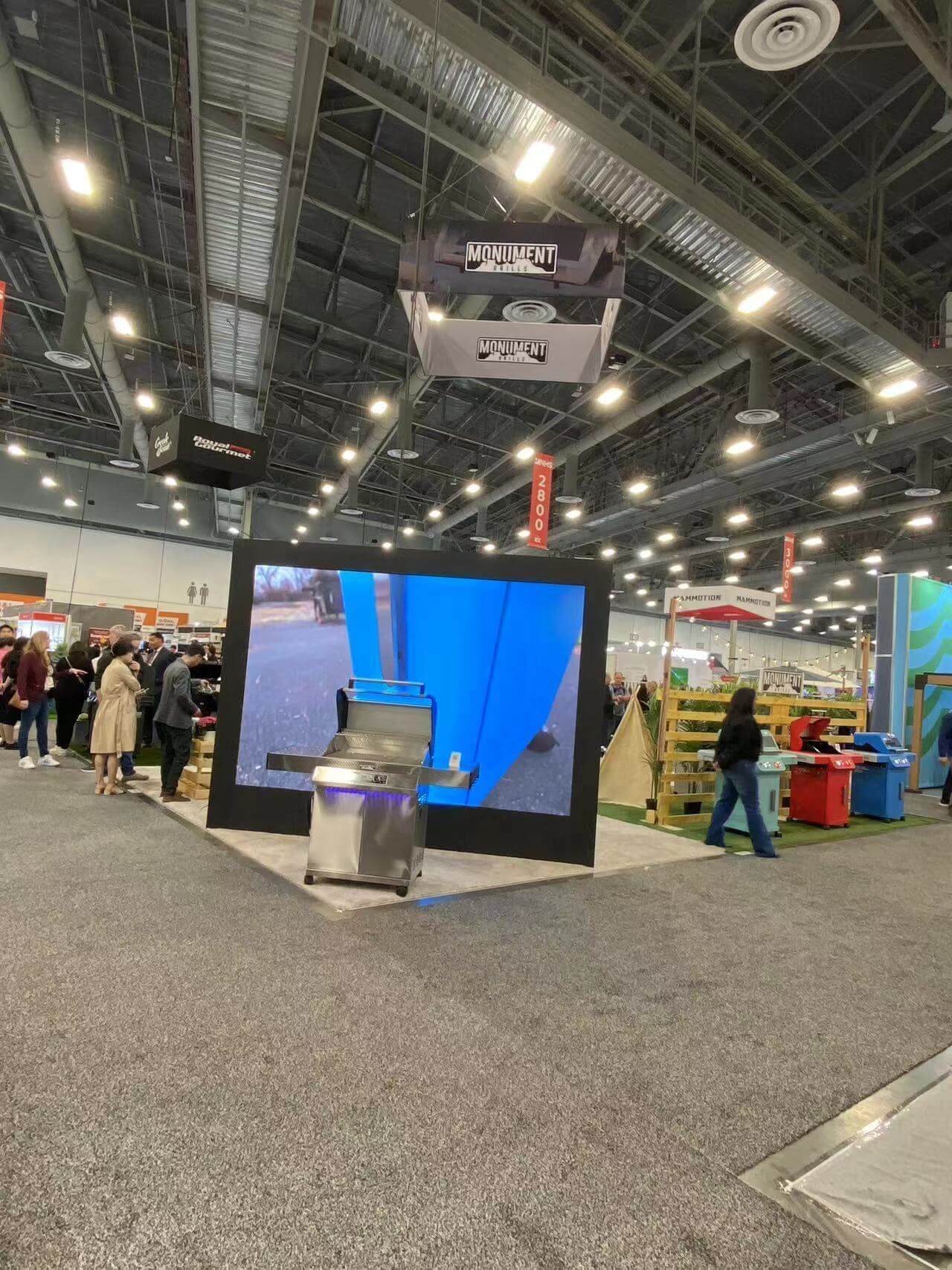
Interactive hardware changes the booth plan. Screens need sightlines and safe mounting. Computers and sensors need ventilation, cable paths, power, and access for resets. Cameras may need controlled lighting and clear privacy boundaries. Multiplayer experiences need queue space.
If the experience depends on the internet, specify bandwidth, connection type, security needs, and a local fallback. Venue Wi-Fi that works for email is not proof that a cloud demo will run reliably during peak show traffic.
Give the exhibit designer and AV team actual equipment dimensions, weights, heat, power, network, mounting, and service-access requirements before construction drawings are released. The trade show AV plan should use the same device list, screen locations, connection requirements, and test owner.
Then plan the failure path. Store approved content locally where possible, keep spare cables and input devices, and give staff a short reset guide. Decide who owns technical support and how quickly that person can reach the booth.
More importantly, train the team to continue the conversation without the device. A printed output example, physical sample, recorded demo, or guided explanation can preserve the sales objective. If a black screen ends the entire booth story, the experience was too dependent on one tool.
Do not accept the experience only at a developer's desk. Test it with real booth staff at the final screen size, standing distance, expected noise, show lighting, and with the same network and playback setup planned onsite.
Ask booth staff—not only the marketing team—to use it. Watch where they interrupt, what results they need to see, and how they move from the interface into a question. Time a normal interaction and a reset. Load the system with several users if a queue is possible.
Before opening, confirm the content version, lead flow, privacy notice, device settings, cable security, cleaning method, spares, support contact, and end-of-day charging or shutdown routine.
Measure the Next Step, Not Touches Alone
Count completions, useful selections, qualified handoffs, meetings, samples, and follow-up actions. Dwell time and screen touches can help diagnose the experience, but they do not prove commercial value.
Compare what the technology changed. Did visitors understand the range faster? Did staff identify applications more accurately? Did follow-up contain better context? If not, simplify or remove it before the next show.
Frequently Asked Questions
What should happen if a visitor leaves halfway through the experience?
Let the session clear quickly without creating a false lead or exposing the previous visitor’s answers. If the partial selections are useful, give staff a simple way to continue the conversation; otherwise reset to the start screen automatically after a short, tested interval.
Should results be printed or emailed?
Choose the method that helps the promised next step. Printing can give an immediate object to discuss but adds hardware and consumables. Email can preserve detail but requires an accurate address and clear consent. In either case, let the visitor review what will be sent and connect the result to a person.
How do you stop an interactive queue from blocking the aisle?
Keep the waiting area inside the booth, show the expected time, and give staff authority to pause entries. A short preview or staff-led alternative can serve passing visitors while a longer session remains available by appointment.
What interaction data is actually useful to sales?
Send the selected application, relevant inputs, result, unanswered question, consented follow-up, and the staff member who continued the conversation. Raw taps, dwell time, and game score may help diagnose the interface, but they do not tell sales why the visitor should be contacted.
Connect the Interaction to a Salesperson
The interaction has done its job when the visitor understands something useful and your team knows what to ask next. Before approving it, watch a salesperson use the complete experience, including the move from screen to conversation and the offline backup. If the tool slows that conversation or hides the visitor behind a screen, simplify it.