The word kiosk can describe two very different things at a trade show. It may mean a compact display or interactive station inside your booth. In an event prospectus, it may instead mean a small turnkey exhibit package that includes space and selected services. If you do not confirm which meaning applies, you can easily compare the wrong dimensions, equipment, responsibilities, and prices.
This guide focuses on the kiosk itself: how it works, what it contains, and how different kiosk categories fit different exhibit tasks. It then gives you a shorter planning checklist for choosing, installing, and operating one.
Quick answer: A trade show kiosk is usually a compact branded station used within or integrated into an exhibit for one focused task. It may display information, support a product demonstration, hold a tablet or monitor, collect registrations, or give your team a defined place to start a conversation. Some organizers also use “kiosk” for a small turnkey exhibit package, so confirm the included space, structure, equipment, and services before you request or compare quotes.
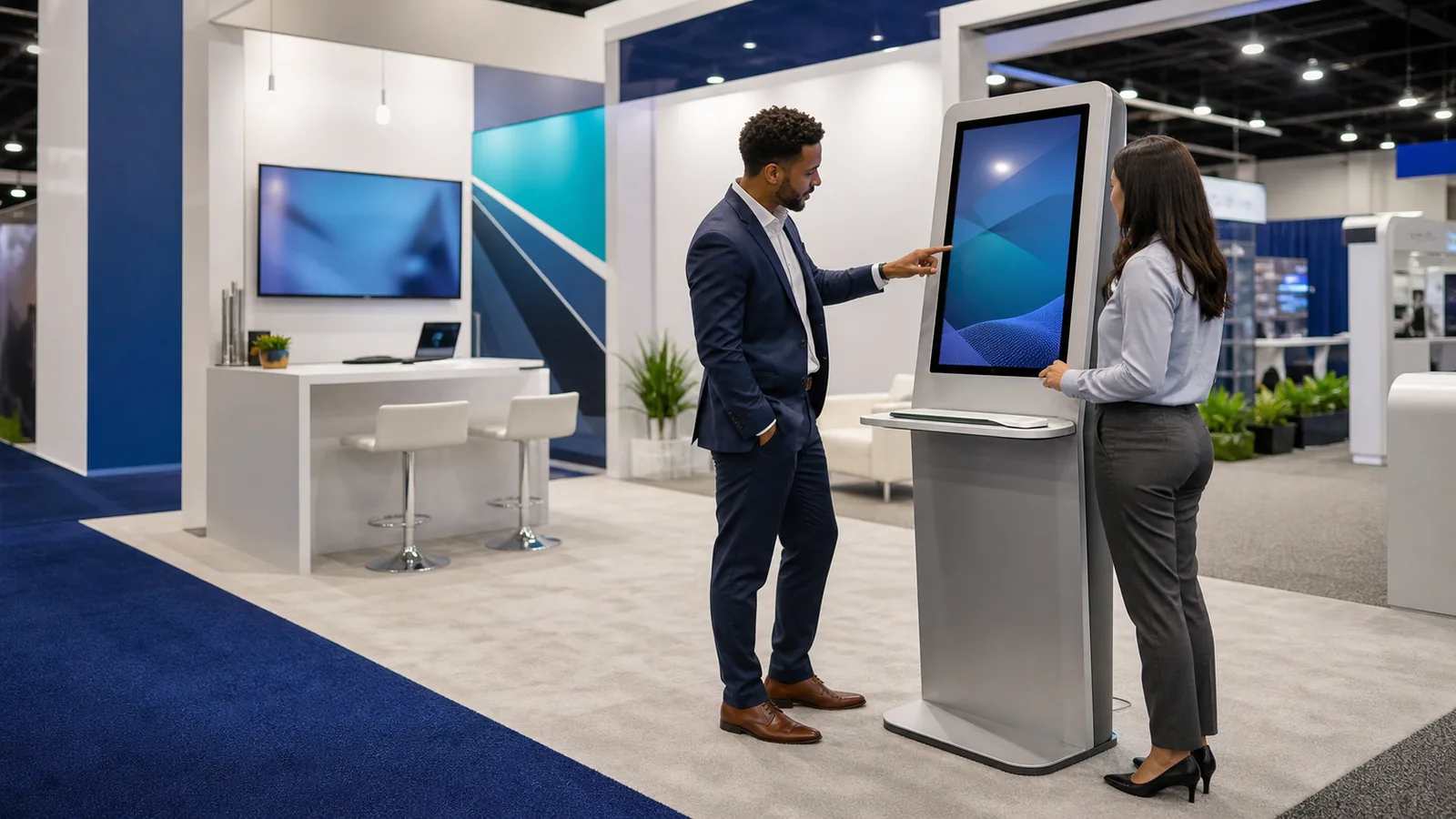
What Is a Trade Show Kiosk?
A trade show kiosk is a compact, branded point where a visitor can see, do, or request something. It may stand alone, attach to a booth wall, or be built into a larger exhibit. It can be staffed, self-guided, or shared by a visitor and representative.
A kiosk does not require a touchscreen. A product pedestal, monitor tower, tablet station, or demo workstation can all qualify. The defining feature is a focused role and interaction point. Before choosing a format, complete this sentence:
At this kiosk, [who] will [do what], then [take what next step].
What Does “Kiosk” Mean in a Trade Show Contract or Prospectus?
| Meaning | What it usually describes | What you must confirm |
|---|---|---|
| In-booth kiosk | A counter, pedestal, tower, monitor stand, tablet station, or workstation inside your larger booth | Structure, graphics, device, power, freight, installation, and ownership |
| Organizer-provided turnkey kiosk | A compact exhibit or sponsorship package sold by the event organizer | Floor space, structure, graphics, screen, furniture, power, passes, internet, material handling, and installation |
The 2026 Esri IMGIS prospectus, for example, described a turnkey package with kiosk space, stools, a monitor, a graphic, electricity, and conference benefits. This is an event-specific example, not a standard configuration or price. Always request written inclusions, exclusions, and service responsibilities before comparing quotes.
How Does a Trade Show Kiosk Work?
A useful kiosk follows five steps: signal its purpose, invite one action, return a useful result, hand the visitor to a person or next step, and reset for the next user. It can be guided, self-guided, or hybrid, but someone still owns questions, resets, supplies, data, and failures.
An interactive kiosk also works through five connected system layers:
| System layer | What it controls | What you need to define |
|---|---|---|
| Content or application | Video, catalog, form, configurator, or demo | The one task and the result shown to the visitor |
| Device and input | Monitor, tablet, touchscreen, scanner, or keyboard | Device compatibility, user position, and reset state |
| Power and connectivity | Power, local playback, internet, and synchronization | Which functions require a live connection and what works offline |
| Lead capture or CRM handoff | Form fields, storage, routing, and follow-up | What data is necessary and who owns the next action |
| Staff handoff and reset | Assistance, qualification, recovery, and readiness | When staff step in and how the kiosk returns to its start screen |

Kiosk software alone is not the complete system. The application, device, utilities, data path, and staff process must work together.
For example, a configuration kiosk may use a touchscreen to let a visitor choose an application and compare two product options. The application displays the result; the device records the input; local files keep the core comparison available if internet access changes; and an optional form sends a specific follow-up request to your team. A representative can then discuss the selected configuration instead of restarting the discovery process. After the conversation, the system clears the visitor data and returns to the opening screen. This is how the digital layers and the sales handoff become one kiosk experience.
What Are the Main Parts of a Trade Show Kiosk?
| Kiosk part | What it does | Questions you should confirm |
|---|---|---|
| Base, frame, or body | Supports the kiosk | Stability, service access, reuse, and floor condition |
| Branded graphic area | Identifies the brand and action | Aisle readability and artwork responsibility |
| Work surface or storage | Holds products, tools, or supplies | Load, depth, locks, and access |
| Screen, tablet, or mount | Presents content or accepts input | Supplier, dimensions, weight, orientation, and mount |
| Computer or peripherals | Runs media, forms, scanners, or printers | System, ports, permissions, and reset process |
| Power, cooling, and cables | Keeps the system operating | Power entry, heat, adapters, and service path |
| Shipping case and hardware | Protects and reassembles the kiosk | Cases, labels, tools, spares, and instructions |
Treat these parts as one system: device choices affect the frame, wiring, packing, freight, and installation.
Standard vs. Interactive Trade Show Kiosks
A standard kiosk presents information, products, graphics, or a staffed work surface; a monitor may play content without visitor control. An interactive kiosk asks the visitor to search, configure, scan, select, or enter information, so it also needs a usable interface, reset state, and failure plan. A hybrid kiosk combines static messaging, digital content, and staff guidance.
Choose by visitor action. Watching a process video may need only a monitor; comparing specifications may justify a touchscreen and staff handoff.
Trade Show Kiosk Types by Physical Format
Physical format is the most useful primary classification because it determines how the kiosk occupies your booth and how visitors approach it.
Branded Counter or Reception Kiosk
A counter-style kiosk combines a greeting point, work surface, graphics, and often storage. It suits directions, literature, brief discussions, and simple demonstrations.
Pedestal or Product Display Kiosk
A pedestal centers attention on one sample, component, or small product. Check load, stability, product security, viewing height, and the representative's position.
Freestanding Tower Kiosk
A tower provides a vertical branded surface for a monitor, tablet, shelves, or literature without requiring a wide counter. Its base, screen load, cable path, and rear finish still matter.
Workstation or Demo Kiosk
A workstation creates a controlled place for software, equipment, or a guided product demonstration. It may need a keyboard, sample area, privacy, seating, and space for both a visitor and a representative.
Wall-Integrated or Booth-Integrated Kiosk
An integrated kiosk places the screen, controls, or product directly into the exhibit architecture. It creates a cohesive look but affects engineering, wiring, device access, packing, and installation earlier.
Double-Sided or Multi-User Kiosk
A double-sided or multi-position kiosk serves visitors from more than one direction. It increases access but also creates additional standing zones, reset points, and potential traffic conflicts.
Use this quick table to connect a primary goal with the main physical type:
| Primary goal | Recommended kiosk | Operating model | Key requirement |
|---|---|---|---|
| Display a physical product | Pedestal kiosk | Staff-guided | Load capacity and product security |
| Run a software demo | Workstation kiosk | Guided or hybrid | Device access and viewing space |
| Collect appointments | Counter or tower with tablet | Self-guided or hybrid | Offline form and data handling |
| Play process videos | Monitor tower | Self-guided | Glare, ventilation, and media reset |
| Compare configurations | Integrated or workstation kiosk | Hybrid | Interface usability and staff handoff |
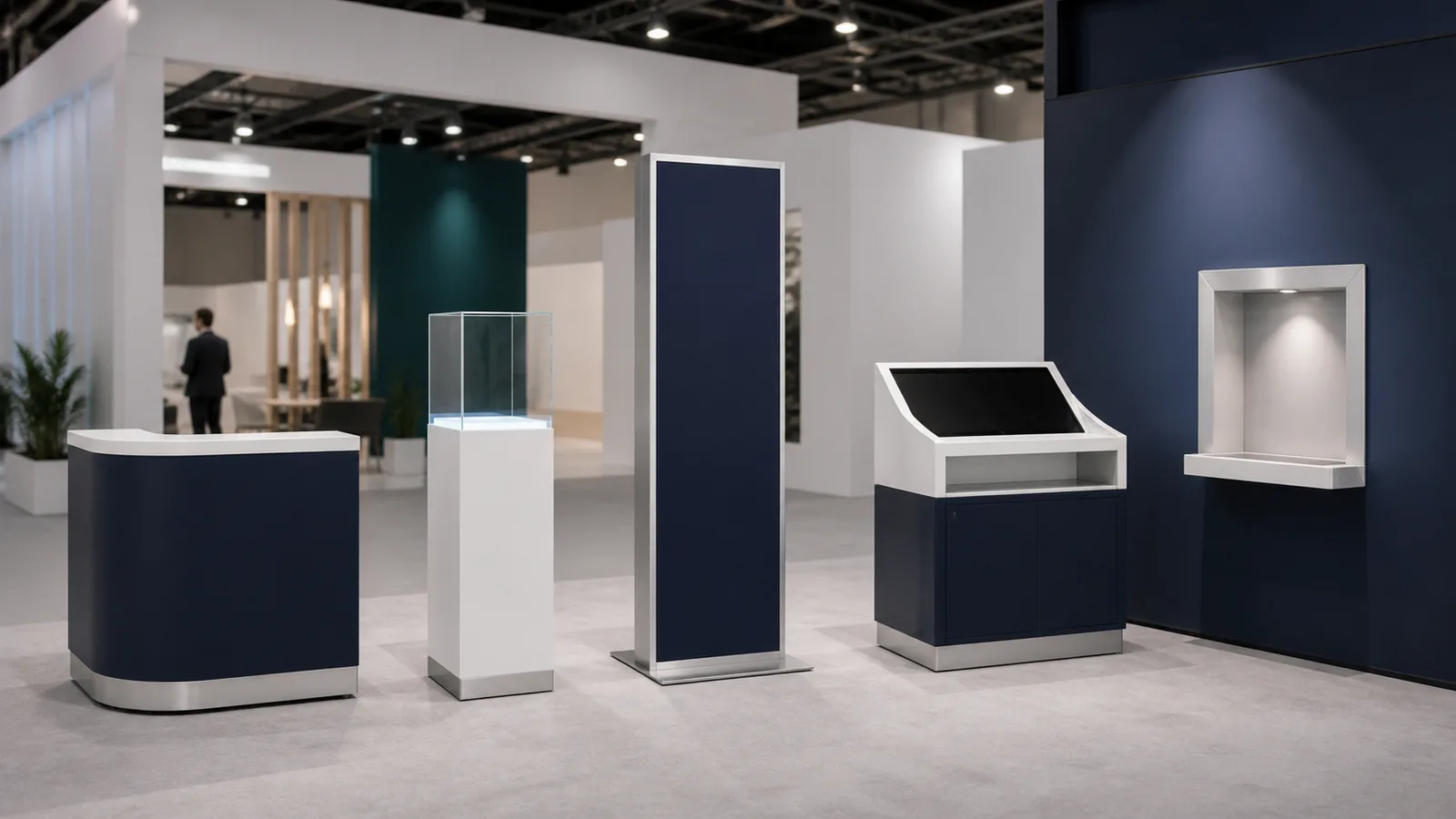
The right format supports the task without creating unused structure or obstructing the rest of your booth.
Trade Show Kiosk Types by Screen or Device
After you choose the physical format, use the device as a secondary layer—not as another competing kiosk taxonomy.
| Device option | Best for | Confirm before approval |
|---|---|---|
| Monitor or video | Looping media, process animation, guided presentations | Screen inclusion, size, mount, player, glare, ventilation, and reset |
| Tablet or iPad | Appointments, catalogs, forms, and simple configurators | Exact device, enclosure, charging, notifications, content mode, and spare |
| Touchscreen | Search, comparison, selection, and visitor input | Interface, user position, home state, cleaning, data, and fallback |
| Product-and-screen hybrid | Connecting a physical sample with digital explanation | Which element leads and how staff continue the discussion |
| Screen-free | Product display, literature, writing surface, and staff conversation | Message clarity, product handling, storage, and staff role |

Trade Show Kiosk Types by Use
Use is the starting point for your brief. Keep it to one primary job, then select the physical format and device that support it.
| Primary use | Visitor action | Typical operating model | Main planning question |
|---|---|---|---|
| Information or wayfinding | Read or find the next destination | Self-guided | Can the first layer be understood at a glance? |
| Product demo or configurator | Explore, compare, or configure | Guided or hybrid | How much specialist explanation is required? |
| Registration or appointment | Check in or select a time | Self-guided | What is the minimum data and manual fallback? |
| Lead capture or survey | Submit a specific request or answer | Self-guided or hybrid | Who reviews, routes, and follows up? |
| Product display or sampling | Inspect or handle a product | Staff-guided | How are load, security, replenishment, and cleaning handled? |
| Charging or service | Use a practical visitor service | Self-guided or staffed | How does the service connect to your exhibit purpose? |

A completed form is not automatically a qualified lead, and a screen is not automatically the right device. The visitor action and next step remain the deciding factors.
Portable, Modular, Rental, and Custom Kiosks
These terms describe how the kiosk is built, supplied, or reused—not what it does.
| Approach | What it emphasizes | Best questions to ask |
|---|---|---|
| Portable | Compact packing, lighter components, and simpler assembly | What is the packed size and weight? Can your team assemble it? What is sacrificed for portability? |
| Modular | Reconfigurable components and replaceable graphics | Which parts can change for another booth, device, or campaign? |
| Rental | Temporary use under a defined scope | Are graphics, device, cases, freight, installation, damage terms, and return shipping included? |
| Custom | Purpose-built structure, finish, branding, and integration | Which requirements justify custom work, and which parts can be reused? |
| Organizer turnkey package | A bundled compact exhibit and event benefits | Does it include floor space, passes, furniture, power, internet, material handling, and installation? |
Portable is not automatically the least expensive after repeated freight, graphics, and replacement. Custom is not automatically the most useful. Rental is not automatically turnkey. Compare the full scope across your show schedule, expected brand changes, device changes, storage, maintenance, and ownership plan.
How to Choose the Right Trade Show Kiosk
Use a short decision sequence instead of beginning with a product catalog.
- Define the primary task and next step. What should the visitor do, and what should happen immediately afterward?
- Choose the operating model. Will the experience be guided, self-guided, or hybrid?
- Select the physical form. Counter, pedestal, tower, workstation, integrated, or multi-user?
- Select the device and build approach. Screen-free, monitor, tablet, touchscreen, portable, modular, rental, or custom?
- Test it against constraints. Booth footprint, user position, staff, content readiness, power, data, show frequency, shipping, and total included scope.
If two options complete the same task equally well, compare the option that is easier for your team to transport, install, reset, maintain, and reuse—not only the one that looks more technical in a rendering.
Plan Space, Power, Content, Data, Accessibility, and Delivery
Keep this check short, but complete it before approving the kiosk body and device openings.
- Space: draw the kiosk, active user, staff position, waiting area, open doors, and next conversation point. A base that fits does not prove the interaction fits.
- System: freeze the device dimensions, mount, content, power, cable path, internet dependency, and offline core path.
- Data and access: collect only necessary fields, assign the follow-up owner, and review clear floor space, reach, controls, readable content, and alternatives. The U.S. Access Board's SSTM background and operable-parts guide are useful references, but you still need to confirm the current requirements for your event and installation.
- Delivery: pre-build the complete system, label the cases and components, pack essential spares, and assign one show-day owner for reset and escalation.

Use the current exhibitor manual and service forms for power, internet, labor, and deadlines. Detailed shipping, storage, refurbishment, and multi-show asset planning can be handled in the wider exhibit program rather than inside the kiosk definition.
Common Trade Show Kiosk Mistakes
| Mistake | What it causes | Better action |
|---|---|---|
| Giving one kiosk several primary jobs | Confusing graphics, content, staffing, and visitor behavior | Choose one primary task and one next step |
| Selecting the device after the structure is approved | Mount, opening, wiring, cooling, and packing changes | Freeze device requirements before approval |
| Measuring only the kiosk base | Users and queues obstruct the booth or aisle | Draw the complete interaction zone |
| Adding a screen without a visitor action | Passive content that does not support a decision | Define what the visitor should see, do, or request |
| Ending the interface without a staff handoff | Interest stops at the screen | Add a visible next step and staff responsibility |
| Relying entirely on internet access | The main task fails when connectivity changes | Build an offline core path |
| Comparing a hardware price with a full project | Missing graphics, devices, freight, labor, and show services | Compare identical scopes and exclusions |
Frequently Asked Questions
Is a trade show kiosk the same as a booth?
Usually, no. A kiosk is commonly one compact component inside a larger booth. However, some organizers use kiosk for a small turnkey exhibit package that includes floor space and selected services. Check the prospectus or proposal for the exact inclusions.
What is a kiosk used for at a trade show?
A trade show kiosk can display information, support a product demonstration, run a catalog or configurator, handle registration or appointments, collect a specific request, present a sample, or provide a staffed service point. Choose one primary use so the structure, content, and staff role remain clear.
How much does a trade show kiosk cost?
There is no single comparable kiosk price. A tablet holder, a branded monitor tower, a custom interactive workstation, and an organizer-supplied exhibit package have different scopes. As examples—not market benchmarks—APG Exhibits currently lists individual tablet/monitor products from the low hundreds to several thousand U.S. dollars, while the event-specific 2026 Esri turnkey package cited earlier was $12,000 and included space, equipment, electricity, and conference benefits. For a useful quote, separate structure, graphics, screen/device, software/content, power/internet, cases, freight, installation and dismantling, on-site support, and event fees.
Should you rent or buy a trade show kiosk?
Rental or modular options may be more flexible when your show schedule, branding, device, or layout changes frequently. Buying may be worth comparing when your requirements are stable and you expect repeated use. Include graphics updates, freight, installation, storage, maintenance, device replacement, and future reconfiguration in the comparison.
Does a trade show kiosk need an internet connection?
Not always. Locally stored video, presentations, catalogs, and some demonstrations can run offline. Cloud configurators, real-time forms, remote content, live inventory, and data synchronization may require a reliable connection. Define which functions require internet and create an offline path for the kiosk’s most important task.
Final Thoughts
Your trade show kiosk should give the right visitor one clear action and connect it to a useful result or conversation. Before approval, confirm what the kiosk means in the proposal, who will use and support it, and what the quote includes. If you cannot explain the experience in one sentence, simplify it before adding structure or technology.
Planning a kiosk for an upcoming trade show? Share your event, booth size, primary task, and schedule. We can help select the right format, device setup, installation scope, and reuse plan.